01
Install Replingo
Get it from the Chrome Web Store.

Chrome extension
Type in your own language. Replingo turns it into natural English — or any of 40+ languages — inside the box you're already typing in, and shows you what it says before you post.
Works in every text box: X, Facebook, Discord, Reddit, forms, email.
Press Alt+T. No copy-paste, no switching tabs.
See the back-translation before you hit send.
Features
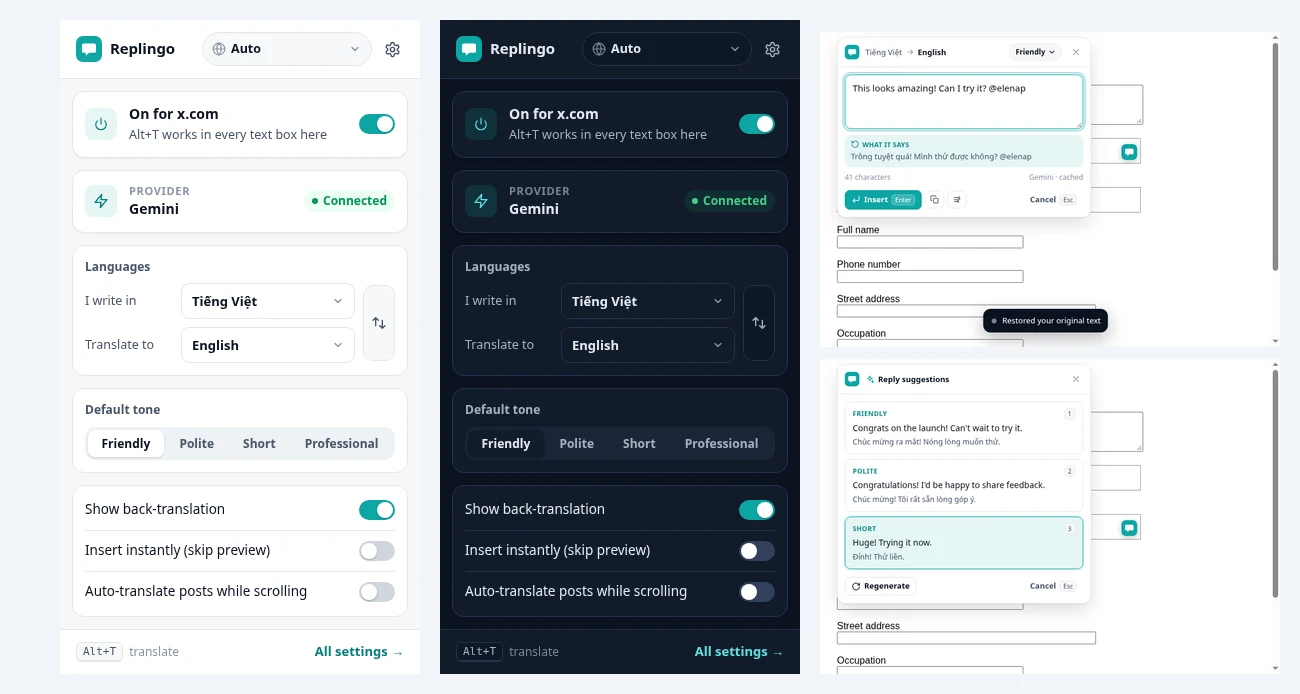
Write in your language, press Alt+T or tap the Replingo bubble, pick a tone (Friendly, Polite, Short, Professional) and press Enter to insert. Alt+Z undoes.
Every result shows “What it says” in your own language, so nothing gets lost.
Click into an empty reply box and get 3 ready replies — friendly, polite, short — based on the post or the last messages in a Discord channel.
A Translate button under posts and Discord messages keeps line breaks, lists and paragraphs. Or highlight any text and right-click “Translate with Replingo”.
Explains form labels in your language and tidies names, phones and addresses.
Passwords, card numbers and OTP fields are never read. Your API key stays in your browser. History is stored only on your device.
The extension UI comes in 10 languages, with light and dark mode and right-to-left support.
How it works
01
Get it from the Chrome Web Store.
02
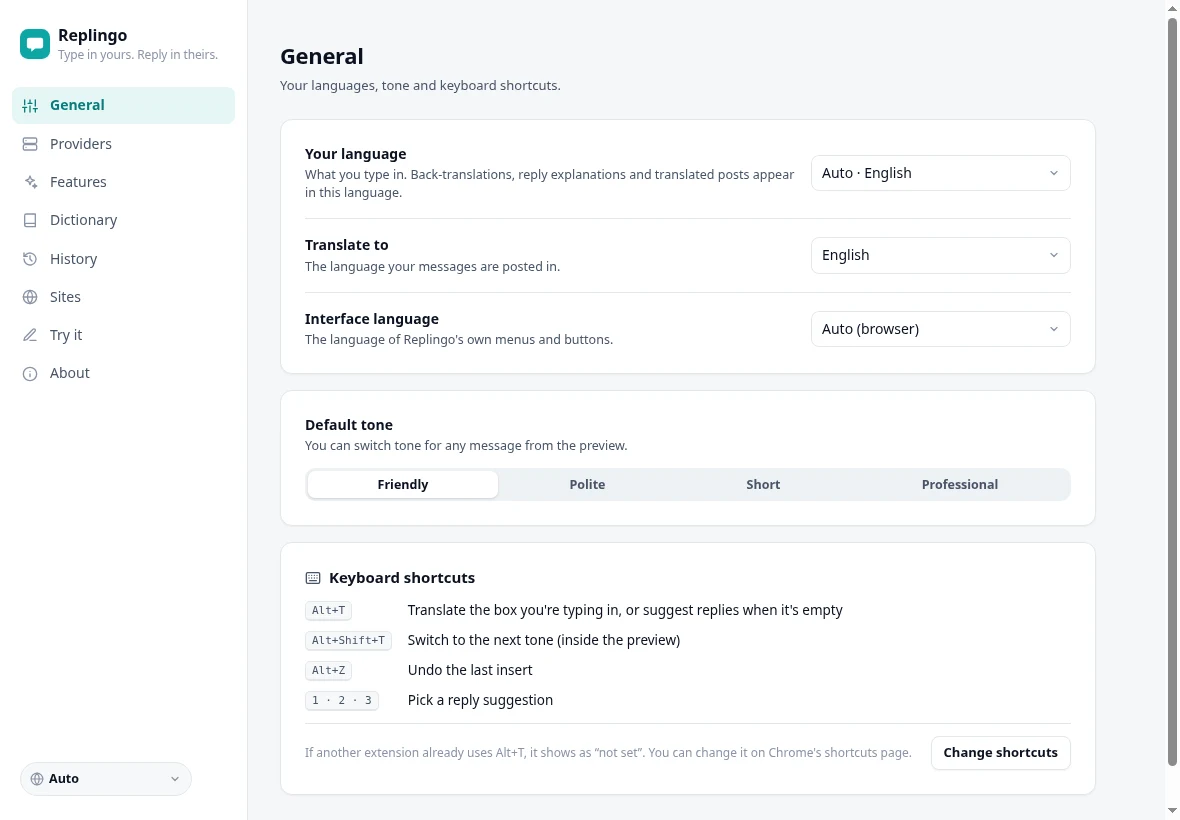
Set “I write in” and “Translate to” — any pair.
03
Add a free Gemini API key, or use Replingo Pro.
04
Type in any box and press Alt+T.
Pricing
$0
Who it's for
Replying to clients.
On Discord and X.
Answering buyers.
Filling in foreign forms.
FAQ
Yes. The Free plan uses your own key; Gemini offers a free tier.
Any pair supported by Gemini or OpenAI — 40+ languages. The extension's interface is in 10.
No. Password, card, OTP and verification fields are skipped automatically.
Settings, keys and history stay in your browser. Text goes only to the translation provider you choose, and only when you ask for a translation.
Chrome and Chromium browsers (Edge, Brave, Arc).